


Baby Panda's Supermarket
4.62.73K Reviews
App Specs
- Version
- 8.75.46.01
- Updated On
- License
- Free
- Downloads
- 100,000,000+
- Developer
- BabyBus
- Categories
- Educational
- Platform
- Android, iOS
Screenshots


 Analysis by AppCompare
I’d treat a supermarket game as a small invitation to practice familiar routines, rather than a lesson that needs to feel like school. That is where Baby Panda's Supermarket makes sense: children can explore shopping tasks in a playful setting, while a parent can use the activity to talk about what happens during a real trip. I find that combination most useful for preschool-age kids who enjoy tapping, choosing and pretending, especially when they are beginning to recognize everyday objects and simple categories.
Small goals make the first minutes matter
The early appeal is easy to understand. A child can start with a concrete task, such as selecting groceries or moving through a checkout routine, instead of facing a long explanation or a complicated menu. Those clear, familiar actions give young players a reason to keep going: choose something, complete the interaction, then see what the next activity offers. For a child who is still learning how to follow a sequence, that is more approachable than an open-ended game with no obvious next step.
I would use the first few sessions as shared play rather than handing over a device and expecting independent learning. Ask your child to name an item, point out its color, or explain what might belong in a shopping basket. These small prompts turn the game into a conversation without adding pressure to get an answer right. They also help a parent see whether the child is interested in the shopping theme or would rather move on to another kind of play.
A practical use is a short wait at an appointment or a quiet stretch before dinner. Let the child choose a task, then put the device away when that activity feels complete. That gives the game a natural stopping point and makes it easier to avoid turning a quick distraction into an extended screen session. I would not rely on it as a substitute for a real shopping trip, but it can make the idea of choosing and checking out feel familiar before a child encounters it in a busy store.
Progress is easiest to notice through actions
What makes the play educational is not a formal lesson or a score I would ask a child to chase. The useful progress is in the actions: noticing differences between objects, following a simple instruction, making a choice and completing a sequence. A parent can spot those changes by watching how a child approaches the same kind of task over time. Does the child pause to compare items, remember what comes next, or start naming things without a prompt? Those are more meaningful signs of engagement than simply keeping the app open.
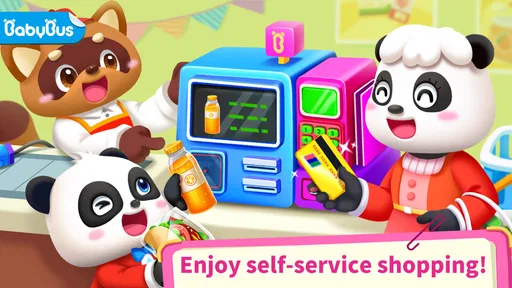
The checkout idea is particularly handy for connecting pretend play with everyday language. You can talk about scanning, paying and putting items away, then use those words during an actual grocery visit. Keep the explanation light: the in-game interaction is a playful approximation, not a complete guide to money or shopping. I would avoid presenting it as a way to teach precise financial skills; it is better suited to basic familiarity with a routine and the language around it.
There is also a useful difference between letting a child tap quickly and giving them a moment to decide. If they rush through choices, try asking them to find a particular type of item or describe what they picked before continuing. This makes the play more attentive without inventing extra rules or making the session feel like a test. It is an easy adjustment for an adult who wants more conversation and less rapid screen tapping.
Worth Reading Before You Choose

Flipboard Shows What News Apps Must Do Beyond the Feed

Switching to Android Auto Means Rethinking Your Driving Routine

Google Calendar Makes a Crowded Week Easier to Manage

Ludo King Makes the Most of the Minutes Between Plans

Baby Panda World Brings Quick Play to Modern Phones, but Its Game Library Feels Busy

ESPN’s Live Game View Makes Following Close Games Easier
Challenge and pacing suit short play sessions
The supermarket theme gives the activities an understandable frame, which helps keep the experience approachable for young children. It does not ask them to master a complicated system before they can begin. That said, a child who already finds basic matching and pretend shopping easy may want more challenge than this kind of casual educational game provides. I would choose a deeper puzzle or a more structured learning activity if the goal is sustained problem-solving rather than a relaxed burst of play.
For younger players, the best pace is likely to be child-led but bounded by an adult. A few minutes can be enough to explore an activity, talk about what is happening and stop while the child is still content. If a task becomes confusing, offer one simple hint and let the child try again rather than taking over the screen. If the child loses interest, there is little benefit in pushing through; the supermarket setting works best when it feels like pretend play, not homework.
Compared with ordinary coloring or matching games, this one has the advantage of putting several familiar shopping actions under one theme. Compared with a full educational curriculum, it is lighter and more informal, with less emphasis on a planned sequence of lessons. That makes it a reasonable choice for a spare moment, but not the strongest option for parents looking for measurable instruction in reading, arithmetic or another specific subject.
What parents should weigh before downloading
BabyBus makes this educational game for children, and the age rating is Everyone. It is free to download, with optional in-app purchases priced from $0.49 to $5.49 per item. I would check the purchase settings on the device before letting a child play alone, since a child-friendly game can still include paid options. The app has a 4.5 average from around 417,000 ratings and has passed 100 million installs, which shows that it has reached a large audience, though popularity alone cannot tell you whether its pace or activities suit your child.
The game was released on February 19, 2016, and its current version is 8.75.00.02, with Android 6.0 as the minimum operating-system requirement. Those details are useful if you are checking an older device before installing. The main choice is less about technical complexity than fit: a child who likes pretend shopping and simple guided interactions is more likely to enjoy it than one who wants competitive play, a long story, or a demanding challenge.
Shopping Adventure Awaits
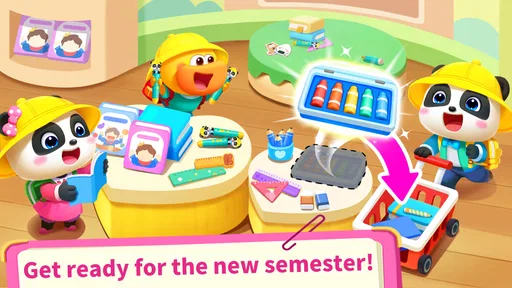
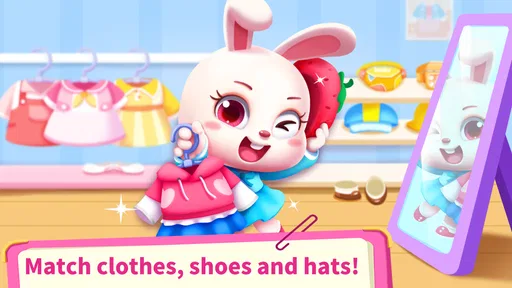
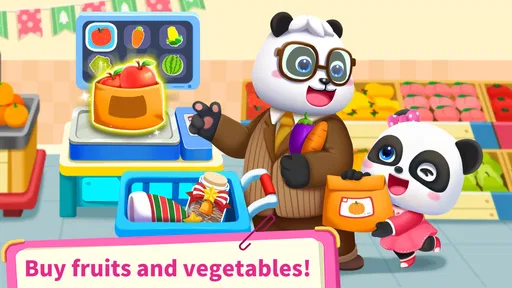
As soon as you open the app, you're greeted with a colorful and vibrant world that just screams fun! The Baby Panda's Supermarket is designed to be interactive, allowing kids to explore different sections of a supermarket. From picking out fresh fruits and veggies to selecting the coolest toys, there's a variety of tasks that mimic real-life shopping.
What I love about this app is how it cleverly intertwines fun with learning. As kids navigate through the supermarket, they’re subtly introduced to concepts like numbers, colors, and shapes. It’s like sneaking vegetables into a smoothie – they don't even realize they're learning!
A Multitude of Mini-Games
The app features an array of mini-games that keep things fresh and exciting. Whether it’s sorting groceries or managing a shopping list, each activity is designed to enhance hand-eye coordination and problem-solving skills. The playful sound effects and cheerful animations add an extra layer of enjoyment, making every task feel like a game.
One standout feature is the checkout process. Kids can scan items and even "pay" for their groceries, introducing them to basic math and money management in a way that’s anything but boring.
Easy Navigation for Little Fingers
One of the things that can make or break an app for kids is its ease of use. Thankfully, Baby Panda's Supermarket nails this aspect. The interface is intuitive, allowing kids to navigate with ease. The icons are large and clear, and the instructions are voice-guided, making it accessible even for the youngest users.
Parents will appreciate the fact that there are no complicated menus to wade through. It's straightforward and user-friendly, exactly what you want in a kids' app.
Engaging Visuals and Sounds
The app's graphics are nothing short of delightful. The bright colors and cute characters are sure to captivate any child's attention. I found myself charmed by the adorable animations and the lively atmosphere of the supermarket. The developers have done an excellent job creating a world that’s both playful and inviting.
The sound design complements the visuals perfectly. From the jingle of coins to the buzz of the checkout scanner, every sound is crisp and adds to the immersive experience. It’s easy to see why kids would get lost in this world for hours.
Safety and Accessibility
For parents, the safety of their children is paramount, and this app respects that. There’s no third-party advertising, which means kids can play without accidentally clicking on something they shouldn’t. It gives peace of mind knowing that the app’s environment is safe and secure.
Additionally, the app doesn’t require an internet connection, making it perfect for on-the-go entertainment. Whether you’re on a road trip or waiting at the doctor’s office, Baby Panda's Supermarket is a great companion for those moments when you need a distraction for the little ones.
In conclusion, Baby Panda's Supermarket is more than just a game; it’s a learning tool wrapped in a fun package. It manages to engage children with its playful approach to everyday activities while also teaching them important life skills. If you're looking for an app that combines entertainment with education, this one is a winner in my book. So, next time you're in search of something that will keep your kiddo happily occupied, remember that this delightful supermarket adventure is just a download away!
Pros
- Engaging educational content for kids.
- Colorful graphics keep children entertained.
- Simple controls suitable for young users.
- Promotes basic math and shopping skills.
- Regular updates with new content.
Cons
- In-app purchases can be pricey.
- May require parental guidance for ads.
- Limited content in the free version.
- Not challenging for older kids.
- Requires internet for some features.
FAQs for Baby Panda's Supermarket
What age group is Baby Panda's Supermarket suitable for?
Baby Panda's Supermarket is designed for children aged 3 to 8. It offers an engaging, interactive experience that helps young kids develop basic cognitive skills, such as counting, sorting, and understanding everyday tasks. The app's colorful graphics and simple controls make it accessible and enjoyable for early learners.
Is Baby Panda's Supermarket safe for kids to use?
Yes, Baby Panda's Supermarket is a child-friendly app with no inappropriate content. It is free from third-party advertisements, ensuring a safe environment for kids. The app is designed to be engaging and educational, focusing on fun activities that promote learning and development without any risks.
Does Baby Panda's Supermarket offer in-app purchases?
While Baby Panda's Supermarket is free to download, it may offer optional in-app purchases for additional content or features. These purchases are designed to enhance the gameplay experience but are not necessary to enjoy the core features of the app. Parental controls can be used to manage these purchases.
What educational benefits does Baby Panda's Supermarket provide?
Baby Panda's Supermarket offers several educational benefits, such as teaching kids about basic math, problem-solving, and decision-making. Through interactive shopping tasks, children learn to recognize numbers, understand money handling, and improve their memory skills, all within a playful and engaging environment.
Does Baby Panda's Supermarket require an internet connection?
No, Baby Panda's Supermarket does not require an internet connection to play. Once downloaded, kids can enjoy the app's features offline, making it a great option for travel or situations where internet access is limited. However, an internet connection may be needed for updates or additional content downloads.


